A Oneindia Venture
Get Updates
Get notified on the latest car launches, bike deals, and insights!
Manage your notification subscription by clicking on the icon.
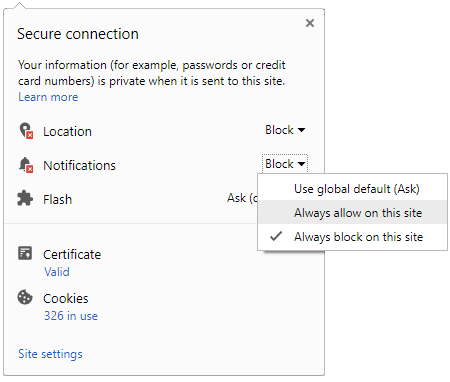
To start receiving timely alerts, as shown below click on the Green .lock. icon next to the address bar
Click it and Unblock the Notifications
Close X
Close X
To Start receiving timely alerts please follow the below steps:
Click on the Menu icon of the browser, it opens up a list of options.
Click on the .Options ., it opens up the settings page,
Here click on the .Privacy & Security. options listed on the left hand side of the page.
Scroll down the page to the .Permission. section .
Here click on the .Settings. tab of the Notification option.
A pop up will open with all listed sites, select the option .ALLOW., for the respective site under the status head to allow the notification.
Once the changes is done, click on the .Save Changes. option to save the changes.
Notifications
Clear All
No Notifications
Choose Language
English
हिंदी
ಕನ್ನಡ
മലയാളം
தமிழ்
తెలుగు
Four-Wheelers
Two-Wheelers
New Cars
Astro Services
Car Reviews
Bike Reviews
EV
Luxury Cars
Videos
Offbeat
Photos
Latest Auto & Bike News
Maruti Suzuki To Inaugurate 100 Nexa Showrooms By 2015-End
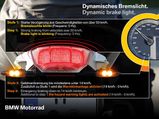
BMW Motorrad Introduces Dynamic Brake Light For Six Models
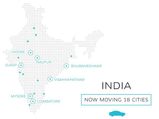
Uber Taxi Service Now Present In 18 Cities Across India
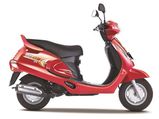
Mahindra Duro Scooter Removed From Indian Website
Ford Mustang GT Seen Testing Near ARAI Facility In Pune, India
Harley-Davidson Fat Boy Celebrates 25 Years Since Inception
Formula One Paddock Qualifying At Silverstone On 4th July
Lamborghini Gallardo Split Into Two Pieces, Driver Survives
Mercedes To Launch AMG GT In India During 2015-End
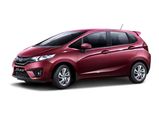
Honda Jazz Receives Decent Pre-Booking In Indian Market
Volvo S60 T6 Variant Launched; Price, Specs & Other Details
Hema Malini’s Mercedes-Benz Involved In A Major Accident
Fiat Chrysler Confirm Jeep Production In India From 2017
GM India Creates New Leadership Positions For Long-Term Growth
Mercedes-Benz Sets Another Record & Is Closer To End No.1 In India
Jaguar XF Aero-Sport Launched In India; Price, Spec & Details
MotoGP Electronic Package Explained By Athina Forward Racing
Volkswagen Employee Killed By Robot In German Facility
Previous
Next
Notifications
Settings
Clear Notifications
No New Notifications
Notifications
Use the toggle to switch
on
notifications
Block for 8 hours
Block for 12 hours
Block for 24 hours
Don't block
To start receiving timely alerts, as shown below click on the Green “lock” icon next to the address bar
Click it and Unblock the Notifications
Close X
Close X
To Start receiving timely alerts please follow the below steps:
Click on the Menu icon of the browser, it opens up a list of options.
Click on the “Options ”, it opens up the settings page,
Here click on the “Privacy & Security” options listed on the left hand side of the page.
Scroll down the page to the “Permission” section .
Here click on the “Settings” tab of the Notification option.
A pop up will open with all listed sites, select the option “ALLOW“, for the respective site under the status head to allow the notification.
Once the changes is done, click on the “Save Changes” option to save the changes.
Log in for Better Reading Experience!
Continue with Google
By signing in, you agree to our
Terms
and
Privacy Policy
Gender
Select your Gender
Male
Female
Others
Age
Select your Age Range
Under 18
18 to 25
26 to 35
36 to 45
45 to 55
55+
Sign Out
✕